How Deep Should a Desk Be for a Large Monitor?
How monitor size and viewing distance determine desk depth, and the options when your desk is too shallow, from monitor arms to deeper desks.
Main page for gaming desks: Gaming Desks →
How monitor size and viewing distance determine desk depth, and the options when your desk is too shallow, from monitor arms to deeper desks.
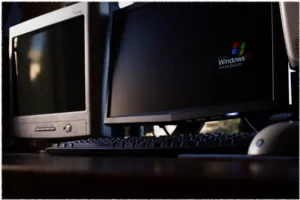
Photo by Lennybird / Wikimedia Commons / CC BY-SA 3.0
Affiliate links.As an Amazon Associate I earn from qualifying purchases. Links below go to Amazon; prices and availability change, so check Amazon for current pricing.Affiliate disclosure
A large monitor on a shallow desk sits too close, forcing you to move your head to see the edges and straining your eyes. Desk depth matters as much as desk width. This guide explains how deep a desk should be for common monitor sizes, based on general ergonomic guidance rather than lab testing. Links go to Amazon’s current listings.
Quick answer
| Monitor | Comfortable desk depth |
|---|---|
| 24–27 inch | 24 inches (60cm) or more |
| 32 inch | 28–30 inches (70–76cm) |
| 34-inch ultrawide | 28–30 inches |
| 42-inch+ or 49-inch super ultrawide | 30 inches (76cm) or more, or a monitor arm |
Viewing distance basics
- You should see the whole screen without turning your head much.
- Typical distance: about an arm’s length for 27-inch, further for larger screens.
- Top of the screen at or slightly below eye level.
When your desk is too shallow
- Use a monitor arm to push the monitor back to the desk’s rear edge, or slightly beyond it. Arms like the Ergotron LX free the space under the screen too. See do you need a monitor arm?
- Move the desk away from the wall a little if the arm allows.
- Use a smaller monitor or higher resolution scaling.
Choosing a deeper desk
Gaming desks like the EUREKA ERGONOMIC gaming desk range offer deeper options. Check:
- Depth for your monitor size.
- Width for your monitors, speakers and mouse space.
- Desktop thickness if you’ll clamp an arm.
- Room space behind your chair.
See compact gaming desks and planning a gaming desk layout.
Ultrawides and curved monitors
Curved monitors bring the edges closer, so they can work at slightly shorter distances. Super ultrawides still need depth. See 49-inch super ultrawide monitors.
Keyboard and mouse space
A deeper desk also leaves room for the keyboard and mouse in front of the monitor, so your arms rest on the desk.
FAQ
How deep should a desk be for a 32-inch monitor? Around 28–30 inches, or use a monitor arm.
Is 24 inches deep enough? For a 24–27 inch monitor, usually yes.
Bottom line
Match desk depth to monitor size, and use a monitor arm to gain distance on shallower desks. More in 27 vs 32 inch gaming monitors.
Our picks: Gaming desks & Monitor arms
Shop on Amazon
Affiliate links.As an Amazon Associate I earn from qualifying purchases. Links below go to Amazon; prices and availability change, so check Amazon for current pricing.Affiliate disclosure


Illustrative photos: Photo by Ssamm T / Wikimedia Commons / CC BY-SA 4.0; Photo by tony_duell / Wikimedia Commons / CC BY 2.0; Photo by Luke Chesser / Wikimedia Commons / CC0