Planning a Desk for Sim Racing and Flight Sim Gear
How to fit a racing wheel, pedals or a HOTAS around a normal gaming desk, and when a dedicated stand or cockpit makes more sense.
Main page for gaming desks: Gaming Desks →
How to fit a racing wheel, pedals or a HOTAS around a normal gaming desk, and when a dedicated stand or cockpit makes more sense.
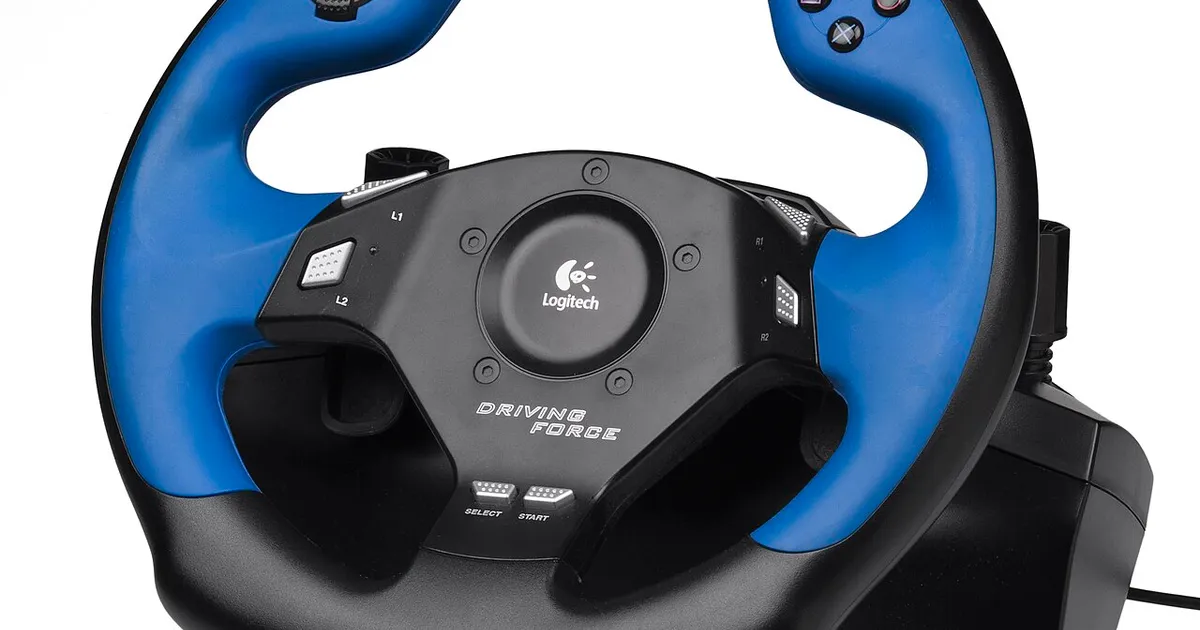
Photo by Evan-Amos / Wikimedia Commons / Public domain
Affiliate links.As an Amazon Associate I earn from qualifying purchases. Links below go to Amazon; prices and availability change, so check Amazon for current pricing.Affiliate disclosure
Sim racing wheels and flight sim HOTAS setups put strong forces on a desk and take up a lot of space. Planning the desk, or choosing a stand instead, avoids wobble and a cluttered setup. This guide explains the options, based on general practice rather than lab testing. Links go to Amazon’s current listings.
Quick answer
| Gear | Desk option | Alternative |
|---|---|---|
| Gear-driven or belt racing wheel | Sturdy, thick desk with clamp space | Wheel stand |
| Direct-drive racing wheel | Not recommended on most desks | Rigid cockpit |
| HOTAS | Desk with space either side | HOTAS desk mount |
Racing wheels on a desk
- Clamp thickness: check the wheel’s clamp range against your desk.
- Stability: force feedback shakes light desks. Heavy, solid desks work best.
- Lip or frame: the clamp needs a clear front edge.
- Pedals: they slide on hard floors; a mat or pedal stop helps.
- Chair: a non-rolling chair, or lock the casters.
Wheel stands and cockpits
A stand or cockpit is often better than a desk: rigid, adjustable and foldable. See racing wheel stands and cockpits.
HOTAS setups
- Space either side of the keyboard for stick and throttle, or remove the keyboard while flying.
- Desk mounts position the stick and throttle at a comfortable height beside your chair.
- Rudder pedals need floor space.
See flight sim gear: HOTAS for PC.
Screen position
- Racing: the screen as close and low as possible, with the horizon at eye level.
- Flight: a wider field of view; ultrawides work well. See 49-inch super ultrawides.
Switching between sim and desk use
- Quick-release mounts let you remove the wheel.
- Folding stands store away.
- Keyboard trays move the keyboard out of the way.
Planning measurements
Measure wheel and pedal distance from your seat, monitor distance and floor space. See desk depth for large monitors and planning a gaming desk layout.
FAQ
Can I use a racing wheel on any desk? On sturdy desks with a clear edge, yes. Light desks will shake.
Do I need a cockpit for direct drive? Usually yes; most desks aren’t rigid enough.
Bottom line
Use a sturdy desk for entry-level wheels and HOTAS, and move to a stand or cockpit as forces increase. More in budget racing wheels.
Our picks: Gaming desks & Monitor arms
Shop on Amazon
Affiliate links.As an Amazon Associate I earn from qualifying purchases. Links below go to Amazon; prices and availability change, so check Amazon for current pricing.Affiliate disclosure

Illustrative photos: Photo by Ssamm T / Wikimedia Commons / CC BY-SA 4.0; Photo by tony_duell / Wikimedia Commons / CC BY 2.0; Photo by Luke Chesser / Wikimedia Commons / CC0