Open-Box PC Parts: What to Check Before and After Buying
Which open-box PC parts are low risk and which are worth avoiding, and how to check returned components when they arrive.
Which open-box PC parts are low risk and which are worth avoiding, and how to check returned components when they arrive.

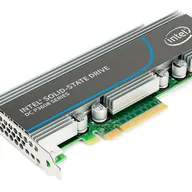
Photo by Andykatib / Wikimedia Commons / CC0
Affiliate links.As an Amazon Associate I earn from qualifying purchases. Links below go to Amazon; prices and availability change, so check Amazon for current pricing.Affiliate disclosure
Open-box PC parts are items that were returned, sometimes unused and sometimes installed and tested. After Black Friday, return volumes jump, and open-box listings become more common. Some parts are low risk; others are worth avoiding. This guide explains which, based on general practice rather than lab testing. Links go to Amazon’s current listings.
Quick answer: risk by part
| Part | Open-box risk | Main check |
|---|---|---|
| PC case | Low | Panels, glass, screws and accessories |
| Fans, coolers | Low to medium | Mounting hardware included |
| Power supply | Low to medium | All modular cables included |
| SSD | Medium | Health and data written |
| RAM | Low | Matched kit, passes a memory test |
| Motherboard | Medium to high | Socket pins, accessories |
| CPU | Medium to high | Bent pins (AM4) or pad damage |
| Graphics card | Medium | Physical damage, test under load |
Lower-risk open-box parts
Cases
A returned case like the Corsair 4000D Airflow is usually fine. Check for scratches, cracked tempered glass, bent panels and the accessory box with screws.
Power supplies
Open-box power supplies like the Corsair RM850x can be good value, since many are returned unused. Check that every modular cable is included, as missing GPU or CPU cables are a problem. Only use the original cables for that model.
RAM and fans
RAM is reliable and easy to test. Make sure a two-stick kit is complete and matched. Fans are low risk; check that all screws and adapters are included.
Higher-risk open-box parts
Motherboards
- Check the CPU socket: on Intel LGA and AMD AM5 boards, the pins are in the socket and can be bent. Look closely with a light.
- Socket cover: should be present.
- Accessories: Wi-Fi antenna, M.2 screws, SATA cables.
CPUs
- AM4 CPUs have pins on the chip, which can be bent.
- AM5 and Intel CPUs have flat pads; check for scratches or residue.
- Warranty: check that it’s still covered as an open-box purchase.
Graphics cards
Check for physical damage, missing support brackets, and test under load. See buying a used graphics card for a full test routine.
SSDs
Check the drive’s health and total data written with the maker’s tool. A drive with heavy use may have been used for something other than a quick test.
What to check in the listing
- Condition grade: what the seller means by “like new” or “good”.
- What’s included: accessories, cables, manuals.
- Warranty: manufacturer or seller, and how long.
- Return window: long enough to test.
- Price vs new: during Black Friday, new parts may be discounted enough that open-box saves little.
After it arrives
- Inspect immediately for physical damage and missing parts.
- Install and test before the return window ends.
- Run stress tests for the CPU, GPU and RAM, and check SSD health.
- Register the product if the warranty allows.
FAQ
Are open-box PC parts safe to buy? Cases, power supplies, RAM and fans are generally low risk. Check motherboards and CPUs carefully for pin damage.
Do open-box parts have a warranty? Often the manufacturer warranty still applies, but check the listing and the brand’s policy.
Bottom line
Open-box cases, power supplies and RAM are usually safe savings. Inspect motherboards, CPUs and GPUs closely, compare with Black Friday prices on new parts, and test within the return window. More in buying PC parts on Amazon.
Our picks: Graphics cards & SSDs
Shop on Amazon
Affiliate links.As an Amazon Associate I earn from qualifying purchases. Links below go to Amazon; prices and availability change, so check Amazon for current pricing.Affiliate disclosure
NVIDIA GeForce RTX 5070 Ti
16GB card that handles high-refresh 1440p and entry 4K.
Check price on Amazon


Illustrative photos: Photo by Timothy Borkowski / Wikimedia Commons / CC BY-SA 3.0; Photo by Dmitry Nosachev / Wikimedia Commons / CC BY-SA 4.0; Photo by Advanced Micro Devices, Inc. (AMD) / Wikimedia Commons / Attribution