A Beginner's Guide to PC Gaming Accessories
Which accessories make the biggest difference for a new PC gamer, in the order to buy them.
Main page for gaming setups: Setup Inspiration →
Which accessories make the biggest difference for a new PC gamer, in the order to buy them.
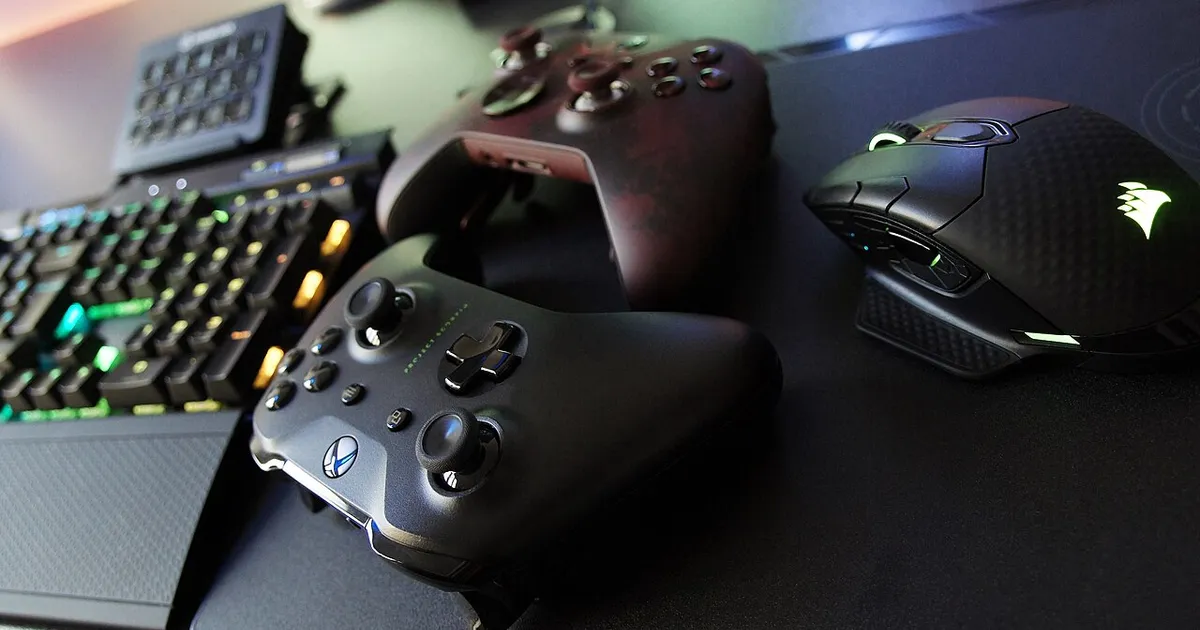
Photo by Jean-Marc Trappler / Wikimedia Commons / CC BY-SA 4.0
Affiliate links.As an Amazon Associate I earn from qualifying purchases. Links below go to Amazon; prices and availability change, so check Amazon for current pricing.Affiliate disclosure
If you’re new to PC gaming, the range of accessories can be overwhelming. You don’t need everything at once. This guide covers the essentials, in the order most players should buy them, comparing by design and listed features rather than lab testing. We don’t list prices; links go to Amazon’s current listings.
Quick answer: buy in this order
| Order | Accessory | Example |
|---|---|---|
| 1 | Mouse that fits your hand | Logitech G305 LIGHTSPEED |
| 2 | Headset | HyperX Cloud III |
| 3 | Mouse pad or desk mat | Logitech G840 XL |
| 4 | Keyboard | A mechanical keyboard in a size that suits your desk |
| 5 | Controller | For games that play better on a pad |
1. Mouse
The most important accessory for most PC games. Choose by hand size and grip; a light wireless mouse is a great start. See budget gaming mice.
2. Headset
Clear sound for footsteps and a mic for team chat. Wired headsets are great value. See budget wired gaming headsets.
3. Mouse pad
A large, consistent surface improves control. See desk mat vs mouse pad.
4. Keyboard
A mechanical keyboard lasts longer and feels better. Compact layouts leave more mouse room. See membrane vs mechanical keyboards.
5. Controller
For racing, action and platform games. See how to choose a gaming controller.
Later upgrades
- High-refresh monitor: the biggest upgrade for smoothness.
- Microphone: for streaming or clearer chat.
- Webcam and lighting: for streaming.
- Chair and desk: for comfort in long sessions.
Bundles
Keyboard and mouse combos can save money for a first setup. See keyboard and mouse combo deals.
Plan your setup
See beginner’s guide to your first gaming setup and choosing peripherals for your playstyle.
FAQ
What should I buy first for PC gaming? A mouse that fits your hand, then a headset.
Do I need RGB? No. It’s purely cosmetic.
Bottom line
Start with a good mouse and headset, add a large mouse pad and a mechanical keyboard, then upgrade the monitor. More gift ideas in our Black Friday gaming gifts guide.
Our picks: Graphics cards & Processors
Shop on Amazon
Affiliate links.As an Amazon Associate I earn from qualifying purchases. Links below go to Amazon; prices and availability change, so check Amazon for current pricing.Affiliate disclosure
NVIDIA GeForce RTX 5070 Ti
16GB card that handles high-refresh 1440p and entry 4K.
Check price on Amazon


Illustrative photos: Photo by Timothy Borkowski / Wikimedia Commons / CC BY-SA 3.0; Photo by Myself User:ZyMOS / Wikimedia Commons / CC BY-SA 4.0; Photo by Advanced Micro Devices, Inc. (AMD) / Wikimedia Commons / Attribution; Photo by Jacek Halicki / Wikimedia Commons / CC BY-SA 4.0; Photo by Ondřej Martin Mach / Wikimedia Commons / CC BY-SA 3.0