Managing Game Storage and SSD Space
How to keep enough free space on your SSDs, move games between drives, and decide which games to keep installed.
Main page for optimization: Optimization Guides →
How to keep enough free space on your SSDs, move games between drives, and decide which games to keep installed.
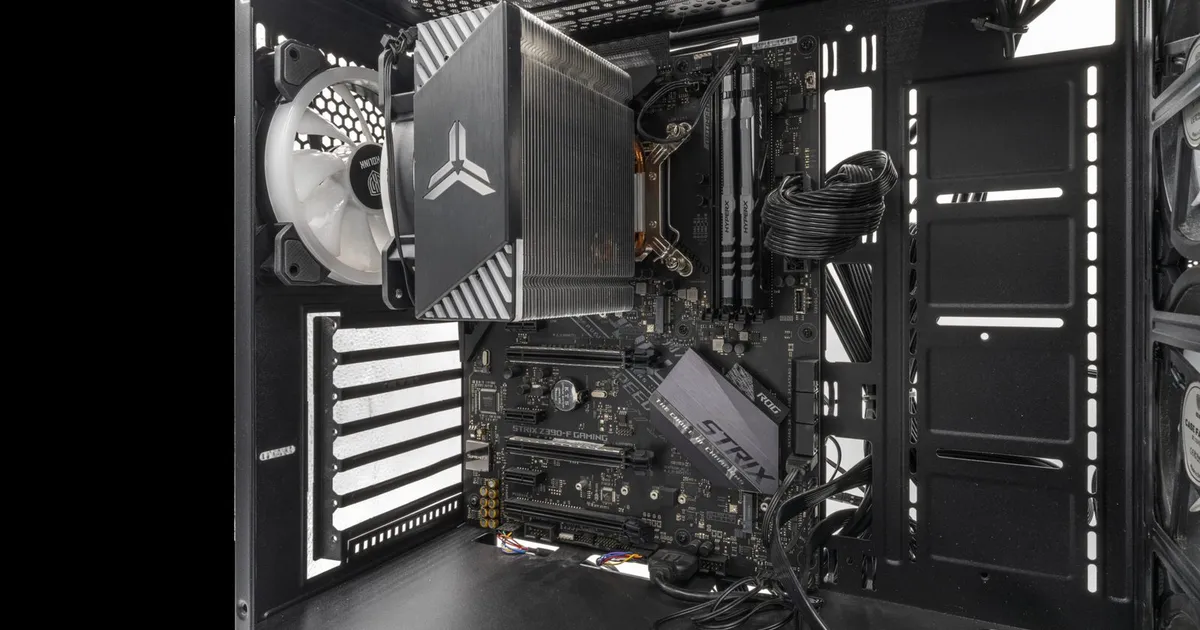
Photo by PantheraLeo1359531 / Wikimedia Commons / CC BY 4.0
Affiliate links.As an Amazon Associate I earn from qualifying purchases. Links below go to Amazon; prices and availability change, so check Amazon for current pricing.Affiliate disclosure
Modern games often take 100GB or more each, so SSDs fill up fast. Good storage management means less deleting and redownloading. This guide covers practical strategies, based on general practice rather than lab testing. We don’t list prices; links go to Amazon’s current listings.
Quick answer
| Strategy | Benefit |
|---|---|
| Keep current games on the fastest SSD | Best loading |
| Add a large, value NVMe SSD | Room for the whole library, e.g. Crucial P3 Plus 4TB |
| Archive games to an external drive | No redownloading, e.g. Samsung T7 2TB |
| Clean temporary files and caches | Free space quickly |
| Leave free space on each SSD | Keeps performance up |
Organize by drive
- Fast NVMe SSD: Windows and the games you play now.
- Second SSD: the rest of your library.
- External or hard drive: archived games and recordings.
In Steam and other launchers, add a library folder on each drive and move games between them. See Steam settings worth changing.
How much storage you need
See how much storage a gaming PC needs and 4TB NVMe SSDs.
Free up space
- Windows Storage Sense: clears temporary files.
- Uninstall games you’ve finished.
- Clear shader caches if very large (they rebuild as needed).
- Move recordings and screenshots off the game drive.
- Check for duplicate launchers and large mods.
Keep free space
SSDs perform better with some free space. Avoid filling them completely.
Backups and saves
- Cloud saves on Steam, Xbox and others protect progress.
- Back up mods and configs before moving drives.
Consoles
Consoles have their own rules for external storage. See Xbox expansion cards vs USB drives and external SSDs.
FAQ
Can I play games from an external SSD on PC? Yes, on a fast USB port.
Does a full SSD slow down games? A very full SSD can slow down; leave some space free.
Bottom line
Put current games on your fastest SSD, add a large value SSD for the library, archive to external storage and keep some free space. More in our Black Friday SSD deals.
Our picks: SSDs & Memory
Shop on Amazon
Affiliate links.As an Amazon Associate I earn from qualifying purchases. Links below go to Amazon; prices and availability change, so check Amazon for current pricing.Affiliate disclosure
G.Skill Trident Z5 Neo RGB DDR5-6000 32GB
EXPO-tuned kit made for Ryzen, with RGB.
Check price on AmazonKingston FURY Beast DDR5 32GB 6000MHz
Low-profile kit that clears big air coolers.
Check price on Amazon
Illustrative photos: Photo by Dmitry Nosachev / Wikimedia Commons / CC BY-SA 4.0; Photo via Wikimedia Commons / CC BY-SA 3.0; Photo by Victorrocha / Wikimedia Commons / CC BY 3.0