24-Inch Esports Monitors: BenQ ZOWIE XL2546K, AOC 24G2SP and ASUS VG249Q1A
Why competitive players still use 24-inch 1080p monitors, the difference between budget and pro esports screens, and three to compare.
Why competitive players still use 24-inch 1080p monitors, the difference between budget and pro esports screens, and three to compare.
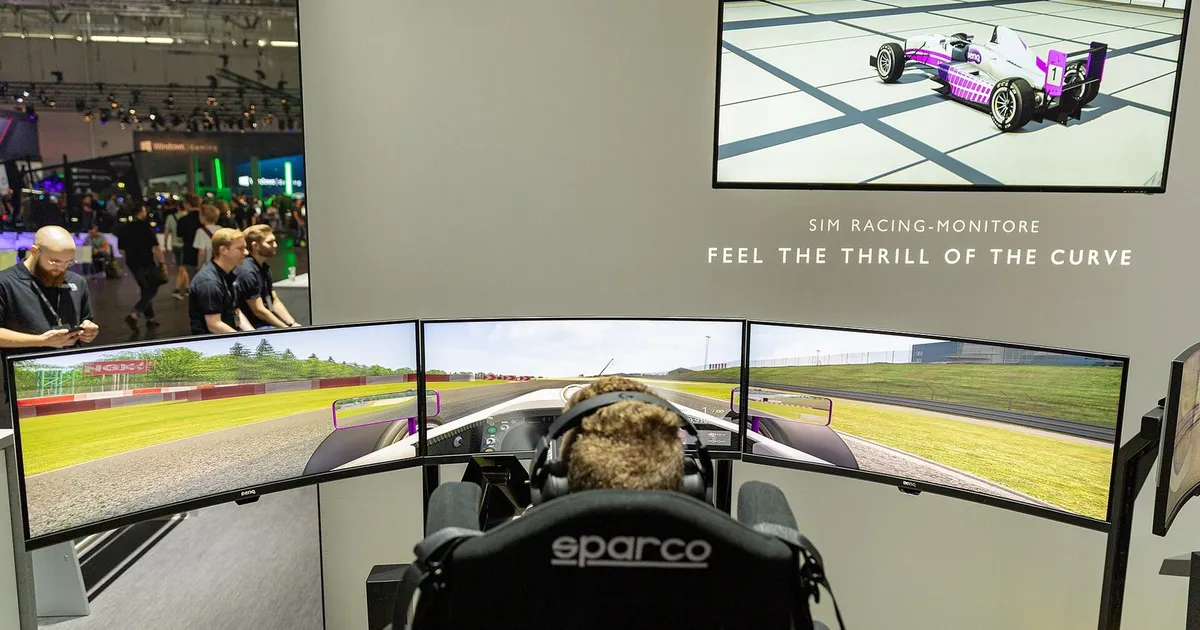
Photo by dronepicr / Wikimedia Commons / CC BY 2.0
Affiliate links.As an Amazon Associate I earn from qualifying purchases. Links below go to Amazon; prices and availability change, so check Amazon for current pricing.Affiliate disclosure
Most competitive players still use 24-inch monitors. At that size, the whole screen stays in your field of view, so you can see the minimap, HUD and crosshair without moving your eyes far, and 1080p is easy to run at very high frame rates. This guide compares three popular 24-inch esports monitors by design and listed specs, not lab testing. We don’t list prices; links go to Amazon’s current listings.
Quick answer
| Monitor | Panel | Refresh rate | Best for |
|---|---|---|---|
| BenQ ZOWIE XL2546K | TN | 240Hz | Serious competitive players; motion clarity (DyAc+) |
| AOC 24G2SP | IPS | 165Hz | Budget all-rounder with good color |
| ASUS VG249Q1A | IPS | 165Hz | Budget esports with a simple setup |
Why 24 inches for esports
- Everything in view: less eye movement to check the minimap and HUD.
- High frame rates: 1080p is easy to drive at 240+ FPS.
- Tournament standard: many events use 24–25 inch monitors.
BenQ ZOWIE XL2546K
A 240Hz TN monitor built for competitive shooters, with DyAc+ backlight strobing for clearer motion, a fully adjustable stand and an S-Switch for quick profile changes.
- What to weigh: TN panels have weaker colors and viewing angles than IPS.
AOC 24G2SP
A 165Hz IPS monitor with good colors and a height-adjustable stand. One of the best-value all-rounders.
- What to weigh: 165Hz rather than 240Hz.
ASUS VG249Q1A
A 165Hz IPS monitor with a simple design.
- What to weigh: a more basic stand; consider a monitor arm.
Refresh rate vs your PC
A 240Hz monitor only shows its advantage if your PC can reach around 240 FPS in your games. Check your frame rates first. Esports titles like Valorant and CS2 run very high on modest hardware.
For even faster panels, see 540Hz monitors, 8K polling and rapid trigger.
Setup tips
- Use DisplayPort for full refresh rate on PC.
- Set the refresh rate in Windows display settings.
- Position the screen at arm’s length with the top at or slightly below eye level.
- Turn on adaptive sync (G-SYNC Compatible or FreeSync), or use high FPS caps.
FAQ
Is 1080p still good for esports? At 24 inches, yes. It’s sharp enough and easy to run fast.
TN or IPS? TN for maximum motion clarity in some models; IPS for better colors. Modern fast IPS is a great all-round choice.
Bottom line
For competitive play, a 24-inch, high-refresh 1080p monitor is still the smart choice. The XL2546K for serious players, the 24G2SP or VG249Q1A for value. More picks in our Black Friday monitor guide.
Our picks: Gaming monitors
Shop on Amazon
Affiliate links.As an Amazon Associate I earn from qualifying purchases. Links below go to Amazon; prices and availability change, so check Amazon for current pricing.Affiliate disclosure
ASUS TUF Gaming VG27AQ
Popular 1440p high-refresh monitor that rarely disappoints.
Check price on Amazon

Illustrative photos: Photo by Lennybird / Wikimedia Commons / CC BY-SA 3.0; Photo by PantheraLeo1359531 / Wikimedia Commons / CC BY 4.0; Photo by Terabass / Wikimedia Commons / CC BY-SA 3.0