Monitors for PS5 and Xbox: HDMI 2.1, 4K at 120Hz and Sony INZONE
What a monitor needs to get the most out of a PS5 or Xbox Series X, why HDMI 2.1 matters, and monitors that suit console players.
What a monitor needs to get the most out of a PS5 or Xbox Series X, why HDMI 2.1 matters, and monitors that suit console players.
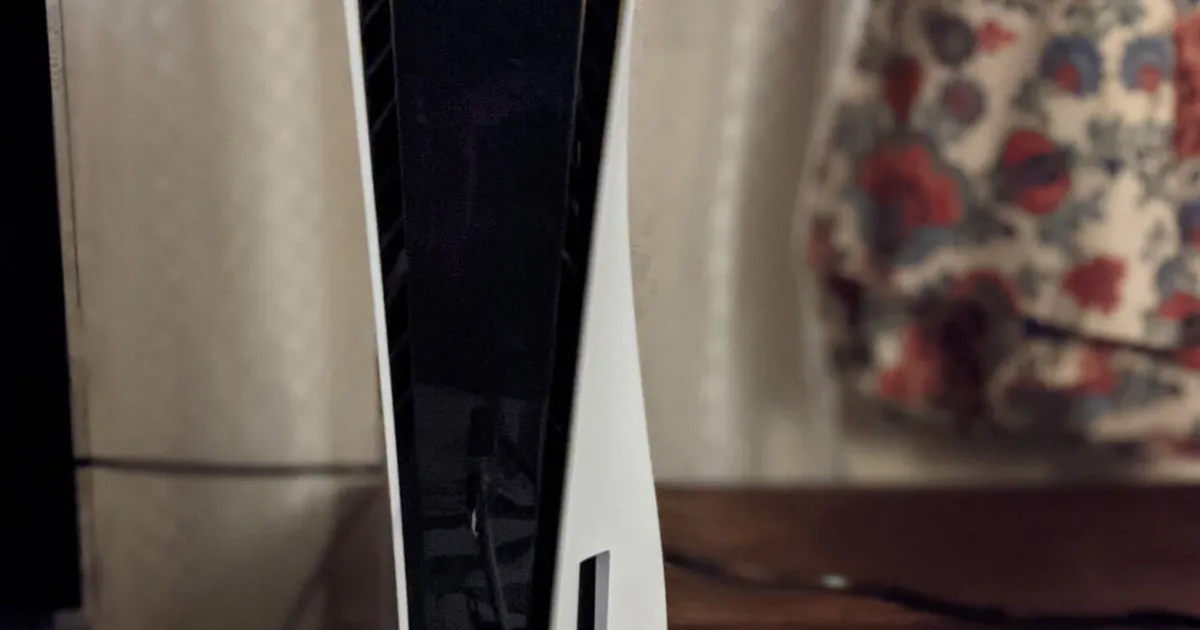
Photo by Osh33m / Wikimedia Commons / CC BY-SA 4.0
Affiliate links.As an Amazon Associate I earn from qualifying purchases. Links below go to Amazon; prices and availability change, so check Amazon for current pricing.Affiliate disclosure
A gaming monitor can be a great screen for a PS5 or Xbox Series X, especially in a bedroom or a small space. But consoles have specific requirements for 4K at 120Hz, so not every PC monitor is a good match. This guide explains what to look for and compares popular options by design and listed specs, not lab testing. We don’t list prices; links go to Amazon’s current listings.
Quick answer
| Monitor | Resolution and refresh | HDMI 2.1 | Best for |
|---|---|---|---|
| Sony INZONE M9 | 27”, 4K 144Hz | Yes | PS5 owners who want 4K 120Hz with HDR |
| Dell G3223Q | 32”, 4K 144Hz | Yes | A bigger 4K screen for PS5, Xbox and PC |
| Sony INZONE M3 | 27”, 1080p 240Hz | Yes | High-refresh play on a budget |
What consoles need
- HDMI 2.1 for 4K at 120Hz on PS5 and Xbox Series X.
- Supported resolutions: both consoles output 1080p, 1440p and 4K. 1440p at 120Hz is supported on both.
- VRR: HDMI VRR support smooths frame rate drops in supported games.
- Ultrawide: not supported; games show black bars.
4K vs 1440p for consoles
- 4K monitors give the sharpest image and full 4K 120Hz in supported games.
- 1440p monitors are cheaper and look great, and both consoles support 1440p output.
- 1080p high-refresh monitors suit competitive play and work with PC too.
Sony INZONE M9
A 27-inch 4K monitor with HDMI 2.1, local dimming for HDR and PS5 features like auto HDR tone mapping.
Dell G3223Q
A 32-inch 4K monitor with HDMI 2.1, a good size for console and PC.
Sony INZONE M3
A 27-inch 1080p 240Hz monitor with HDMI 2.1. On console, high-refresh modes are limited to games that support 120Hz.
Sound
Most monitors have weak or no speakers. Use a headset through the controller, or connect speakers to the monitor’s audio output. See budget wired gaming headsets.
Sharing with a PC
Use DisplayPort for the PC and HDMI for the console, then switch inputs. Check the monitor has enough HDMI 2.1 ports if you have two consoles.
Monitor or TV?
TVs are bigger and often better for HDR, but monitors are smaller, sharper at desk distances and better suited to small rooms. See living room gaming setup ideas.
FAQ
Do I need HDMI 2.1 for PS5? For 4K at 120Hz, yes. For 1440p or 4K at 60Hz, HDMI 2.0 is enough.
Is a 1440p monitor good for PS5? Yes, the PS5 supports 1440p output.
Bottom line
For consoles, look for HDMI 2.1, VRR and the resolution you want. The INZONE M9 and Dell G3223Q are strong 4K picks. More in our Black Friday monitor guide.
Our picks: Gaming monitors
Shop on Amazon
Affiliate links.As an Amazon Associate I earn from qualifying purchases. Links below go to Amazon; prices and availability change, so check Amazon for current pricing.Affiliate disclosure
ASUS TUF Gaming VG27AQ
Popular 1440p high-refresh monitor that rarely disappoints.
Check price on Amazon

Illustrative photos: Photo by Lennybird / Wikimedia Commons / CC BY-SA 3.0; Photo by PantheraLeo1359531 / Wikimedia Commons / CC BY 4.0; Photo by Terabass / Wikimedia Commons / CC BY-SA 3.0