How to Read Ultrawide Monitor Reviews: Curvature, Uniformity and Game Support
What ultrawide reviews should cover beyond standard monitor tests, from curvature and uniformity to game support.
Main page for monitors: Gaming Monitors →
What ultrawide reviews should cover beyond standard monitor tests, from curvature and uniformity to game support.
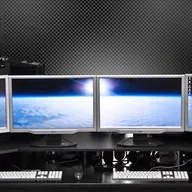
Photo by IT Photography / Wikimedia Commons / CC BY-SA 4.0
Affiliate links.As an Amazon Associate I earn from qualifying purchases. Links below go to Amazon; prices and availability change, so check Amazon for current pricing.Affiliate disclosure
Ultrawide monitor reviews cover things standard monitor reviews don’t: curvature, uniformity across a wide panel, and game support for 21:9 and 32:9. This guide explains what to look for, based on general reviewing practice. We don’t list prices; links go to Amazon’s current listings.
Quick answer
| Review detail | Why it matters |
|---|---|
| Curvature (e.g. 1800R, 1000R) | Comfort and immersion |
| Uniformity | Wide panels can show uneven brightness or color |
| Text clarity | Important for work and OLED subpixels |
| Motion and response times | Same as any gaming monitor |
| Game support notes | Black bars and HUD issues |
| Desk fit and stand | Large footprint |
Commonly reviewed: Alienware AW3423DWF and Samsung Odyssey G9.
Curvature
Lower numbers mean a stronger curve: 1000R is more curved than 1800R. Strong curves suit very wide screens and close seating; some find them distorting for work.
Uniformity
Wide LCD panels can show darker corners or color shifts. OLED ultrawides avoid backlight issues but may show tint differences. Check uniformity photos.
Text clarity
OLED subpixel layouts can cause slight color fringing on text. Important if you work on the monitor.
Motion
Read pursuit photos and response times as with any monitor. See reading monitor motion tests.
Game support
Good reviews note which games support the aspect ratio. See ultrawide game support.
Desk fit
Reviews of 49-inch models often mention desk width and depth. See desk depth for large monitors.
GPU requirements
Ultrawides have more pixels than standard monitors at the same height. Check reviews’ performance notes. See 49-inch super ultrawides.
FAQ
Is a more curved ultrawide better? For very wide screens, often yes. For work, a gentler curve may be more comfortable.
Do all games support ultrawide? No. Check game support before buying.
Bottom line
Read ultrawide reviews for curvature, uniformity, text clarity and game support, as well as the usual motion tests. More in budget 34-inch ultrawide monitors.
Our picks: Gaming monitors & OLED monitors
Shop on Amazon
Affiliate links.As an Amazon Associate I earn from qualifying purchases. Links below go to Amazon; prices and availability change, so check Amazon for current pricing.Affiliate disclosure
ASUS TUF Gaming VG27AQ
Popular 1440p high-refresh monitor that rarely disappoints.
Check price on Amazon
Illustrative photos: Photo by Lennybird / Wikimedia Commons / CC BY-SA 3.0; Photo by Badpeon / Wikimedia Commons / Public domain; Photo by PantheraLeo1359531 / Wikimedia Commons / CC BY 4.0; Photo by Terabass / Wikimedia Commons / CC BY-SA 3.0