Dual-Chamber Showcase Cases: Lian Li O11 Vision, HYTE Y70, NZXT H9 Flow and Corsair 6500X
How dual-chamber, panoramic-glass cases work, what they do for cooling and cable management, and four popular models to compare.
How dual-chamber, panoramic-glass cases work, what they do for cooling and cable management, and four popular models to compare.
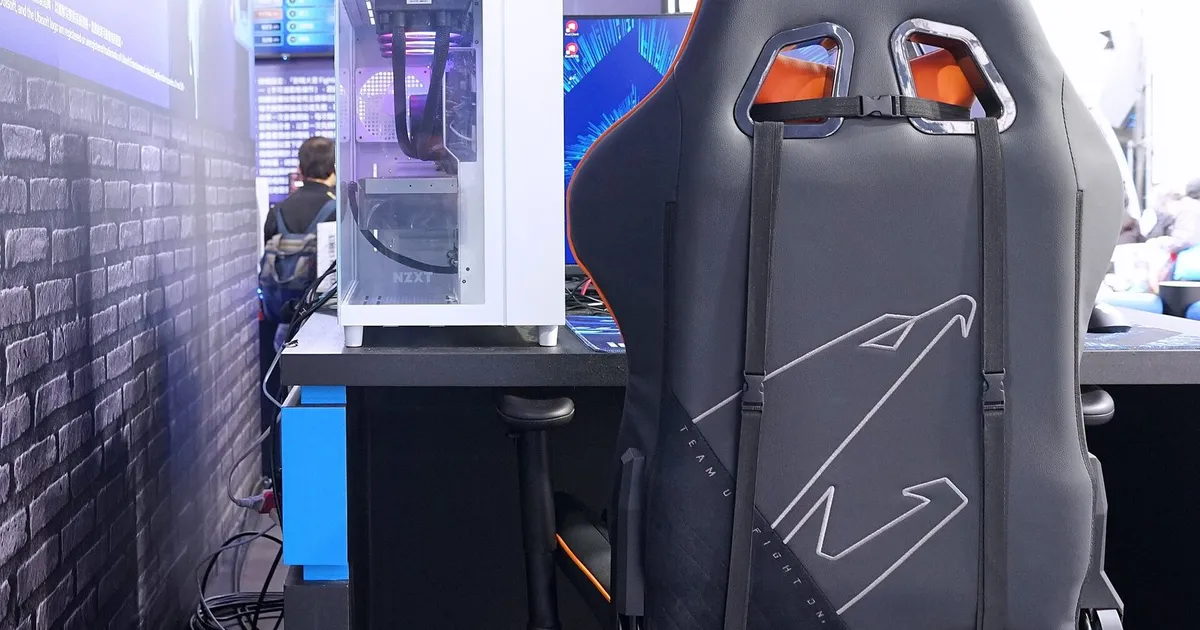
Photo by Solomon203 / Wikimedia Commons / CC BY-SA 4.0
Affiliate links.As an Amazon Associate I earn from qualifying purchases. Links below go to Amazon; prices and availability change, so check Amazon for current pricing.Affiliate disclosure
Dual-chamber cases put the power supply and drives behind the motherboard, leaving a clean, open main chamber framed by glass. They’re the go-to choice for showcase builds with RGB fans and liquid cooling. This guide compares four popular cases by design and listed features, not lab testing. We don’t list prices; links go to Amazon’s current listings.
Quick answer
| Case | Standout | Best for |
|---|---|---|
| Lian Li O11 Vision | Glass on three sides with no corner pillar | Maximum visibility |
| HYTE Y70 | Vertical GPU mount and riser included | Showing off the graphics card |
| NZXT H9 Flow | Airflow top and side, clean design | Showcase with better airflow |
| Corsair 6500X | Dual chamber with reverse-connector motherboard support | Hidden-cable builds |
Why dual chamber
- Clean main chamber: cables, PSU and drives are hidden behind.
- Lots of fan and radiator mounts.
- Great for liquid cooling with multiple radiators.
Things to consider
- Size: dual-chamber cases are wide. Measure your desk space.
- Airflow: many rely on side and bottom intake fans. Plan your fan layout; more fans cost more.
- Fans not included: many showcase cases ship with few or no fans.
- Weight: lots of glass makes them heavy.
The cases
Lian Li O11 Vision: the front and side are glass with no corner pillar, giving an unobstructed view.
HYTE Y70: designed around a vertically mounted GPU, with the riser cable included. A version with a touchscreen is also available.
NZXT H9 Flow: a dual-chamber case with more perforated panels for airflow.
Corsair 6500X: supports motherboards with connectors on the back for an even cleaner look, as well as standard boards.
Planning the build
- Fans: budget for 6–10 fans. Reverse-blade fans for bottom and side intakes look cleaner. See radiator fans and static pressure.
- Fan control: a hub or controller simplifies wiring. See PC fan hubs and controllers.
- Cooling: AIOs fit well. See 240mm and 280mm AIO coolers.
- GPU clearance and vertical mounting: vertically mounted GPUs need space to breathe.
- Cables: see custom PSU cables.
- Dust: more intakes mean more dust. See PC dust filters and cleaning.
Alternatives
If you want good looks with less size, a compact mid-tower or SFF case may suit you better. See small form factor cases.
FAQ
Are dual-chamber cases good for airflow? They can be, with enough intake fans. Plan the layout carefully.
Do these cases include fans? Often few or none. Check the listing.
Bottom line
Dual-chamber cases are the best canvas for showcase builds. Budget for fans, plan airflow and check the size. More on our Black Friday gaming deals hub.
Our picks: PC cases
Shop on Amazon
Affiliate links.As an Amazon Associate I earn from qualifying purchases. Links below go to Amazon; prices and availability change, so check Amazon for current pricing.Affiliate disclosure
Illustrative photos: Photo by Paul Williams from the United Kingdom / Wikimedia Commons / CC BY 2.0; Photo by PantheraLeo1359531 / Wikimedia Commons / CC BY 4.0