Upscaling Explained: DLSS, FSR and XeSS
How upscalers render at a lower resolution and reconstruct a sharper image, how the three main technologies differ, and which quality mode to choose.
How upscalers render at a lower resolution and reconstruct a sharper image, how the three main technologies differ, and which quality mode to choose.
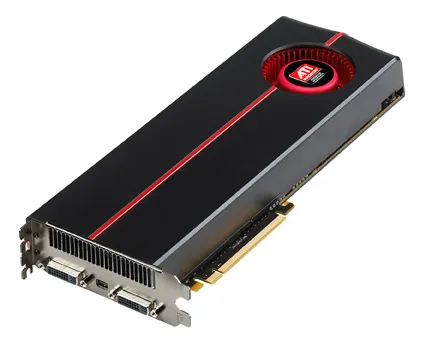
Photo by Advanced Micro Devices, Inc. (AMD) / Wikimedia Commons / Attribution
Affiliate links.As an Amazon Associate I earn from qualifying purchases. Links below go to Amazon; prices and availability change, so check Amazon for current pricing.Affiliate disclosure
Upscaling is one of the most useful features in modern games. It renders the game at a lower resolution and reconstructs a sharp image, raising frame rates with little visible loss. This guide explains DLSS, FSR and XeSS by how they’re designed, not lab testing. Links go to Amazon’s current listings.
Quick answer
| Upscaler | From | Works on | Notes |
|---|---|---|---|
| DLSS | NVIDIA | RTX graphics cards | Widest game support; AI-based |
| FSR 4 | AMD | RX 9000 series | AI-based, improved image quality |
| FSR 3 and earlier | AMD | Most GPUs | Not AI-based; lower quality in motion |
| XeSS | Intel | Many GPUs; best on Intel Arc | AI-based on Arc |
Example cards: RTX 5060 Ti 16GB, RX 9060 XT 16GB, Intel Arc B580.
How upscaling works
- The game renders at a lower internal resolution.
- The upscaler reconstructs a higher-resolution image using data from previous frames and motion vectors, and, for AI-based upscalers, a trained model.
- You get a higher frame rate with an image close to native resolution.
Quality modes
- Quality: highest internal resolution, best image.
- Balanced: middle ground.
- Performance: big FPS boost; good at 4K.
- Ultra Performance: for 8K or very weak GPUs.
At 4K, Performance mode often looks very good. At 1080p, stick with Quality, as there are fewer pixels to work from.
Which looks best?
AI-based upscalers (DLSS, FSR 4, XeSS on Arc) generally handle fine detail and motion better than older non-AI methods. Quality varies by game.
Upscaling vs frame generation
Upscaling improves real frame rates and responsiveness. Frame generation adds generated frames for smoothness, with some added latency. See frame generation explained.
When to use it
- 4K and 1440p gaming on mid-range GPUs.
- Ray tracing, which is demanding.
- Handhelds and laptops, to save power.
Game support matters
Check which upscalers your favorite games support. That can influence which GPU brand to buy. See NVIDIA vs AMD vs Intel GPU features.
FAQ
Does upscaling make games look worse? Slightly in some cases, but modern upscalers in Quality mode are often hard to tell from native.
Can I use DLSS on an AMD card? No. DLSS requires an NVIDIA RTX card.
Bottom line
Upscaling is a free performance boost. Use Quality mode at 1080p and 1440p, Performance at 4K, and check game support when choosing a GPU. More in what actually determines FPS.
Our picks: Graphics cards
Shop on Amazon
Affiliate links.As an Amazon Associate I earn from qualifying purchases. Links below go to Amazon; prices and availability change, so check Amazon for current pricing.Affiliate disclosure
NVIDIA GeForce RTX 5070 Ti
16GB card that handles high-refresh 1440p and entry 4K.
Check price on AmazonNVIDIA GeForce RTX 5060 Ti 16GB
Budget-friendly 1080p/1440p pick; get the 16GB version.
Check price on Amazon


Illustrative photos: Photo by Timothy Borkowski / Wikimedia Commons / CC BY-SA 3.0; Photo by Advanced Micro Devices, Inc. (AMD) / Wikimedia Commons / Attribution