Moving a Gaming PC: Packing and Transport Checklist
How to pack a gaming PC safely for a move or shipping, from removing the GPU to protecting the case and cables.
How to pack a gaming PC safely for a move or shipping, from removing the GPU to protecting the case and cables.

Photo by Gaming PC Bundle / Wikimedia Commons / CC BY-SA 4.0
Affiliate links.As an Amazon Associate I earn from qualifying purchases. Links below go to Amazon; prices and availability change, so check Amazon for current pricing.Affiliate disclosure
Moving house or taking a PC to a LAN party? Gaming PCs survive transport well if you pack them properly. Heavy graphics cards and coolers are the biggest risks. This checklist covers what to do, based on general practice rather than lab testing. Links go to Amazon’s current listings.
Quick checklist
- Back up important files.
- Photograph cable connections.
- Remove or support the graphics card.
- Secure or remove a heavy air cooler for long trips.
- Pack the PC in its original box or with padding.
- Pack peripherals and cables separately, labeled.
- Keep the PC upright and in a vehicle, not a moving truck if possible.
- Let it warm to room temperature before turning it on.
Before packing
- Back up to the cloud or an external drive.
- Photograph the back of the PC so reconnecting is easy.
- Unplug everything and bundle cables.
The graphics card
Heavy GPUs can stress the PCIe slot during transport.
- Short trips: use a GPU support bracket or pack foam under the card.
- Long moves: remove the GPU and pack it in an anti-static bag with padding.
The CPU cooler
Large tower coolers are heavy. For long or rough trips, consider removing it, or fill the space around it with packing foam. If you remove it, reapply thermal paste. See how to apply thermal paste.
Packing the case
- Original box with foam is best.
- Otherwise, a sturdy box with padding on all sides.
- Fill empty space inside the case with foam if components remain.
- Remove tempered glass panels and pack them separately, if possible.
Monitors
Use the original box, or pack the screen face-in with padding. Never put pressure on the screen.
Peripherals
Pack keyboards, mice and headsets separately. Label cable bags.
Liquid cooling
AIO coolers are sealed and travel fine. Custom loops may need draining for long moves.
After arrival
- Let it reach room temperature to avoid condensation.
- Reinstall parts and check seating.
- Reconnect using your photos.
- Check temperatures in a game.
LAN parties
See running a LAN party.
FAQ
Should I remove the GPU to move my PC? For long or rough moves, yes. For short careful trips, support it.
Can I ship a PC with parts inside? It’s risky; remove the GPU and heavy cooler, and pad well.
Bottom line
Back up, support or remove the GPU and heavy cooler, pad everything and let it warm up before booting. More in pre-build PC checklist.
Our picks: PC building essentials & Graphics cards
Shop on Amazon
Affiliate links.As an Amazon Associate I earn from qualifying purchases. Links below go to Amazon; prices and availability change, so check Amazon for current pricing.Affiliate disclosure
NVIDIA GeForce RTX 5070 Ti
16GB card that handles high-refresh 1440p and entry 4K.
Check price on Amazon
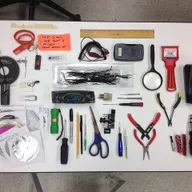



Illustrative photos: Photo by Bill Abbott / Wikimedia Commons / CC BY-SA 2.0; Photo by Timothy Borkowski / Wikimedia Commons / CC BY-SA 3.0; Photo by 18bit / Wikimedia Commons / CC BY-SA 4.0; Photo by Advanced Micro Devices, Inc. (AMD) / Wikimedia Commons / Attribution