Buying a Handheld Gaming PC: The Questions to Answer First
How to choose between the Steam Deck OLED, ROG Xbox Ally, Legion Go S and other handhelds, based on your games, stores and how you'll play.
How to choose between the Steam Deck OLED, ROG Xbox Ally, Legion Go S and other handhelds, based on your games, stores and how you'll play.
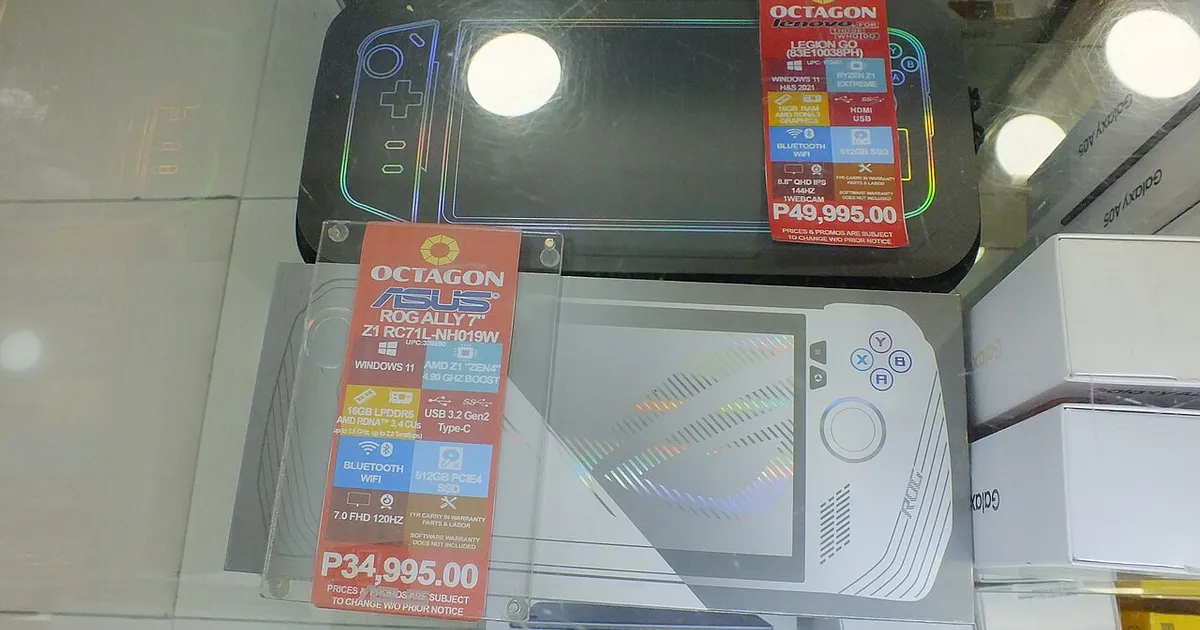
Photo by Wide Awake! / Wikimedia Commons / CC BY 4.0
Affiliate links.As an Amazon Associate I earn from qualifying purchases. Links below go to Amazon; prices and availability change, so check Amazon for current pricing.Affiliate disclosure
Handheld gaming PCs let you play your PC library anywhere. The choice comes down to a few questions about software, screen, battery and size. This guide walks through them, based on listed specs and design rather than lab testing. We don’t list prices; links go to Amazon’s current listings.
Quick answer
| If you… | Consider |
|---|---|
| Play mostly Steam games and want simplicity | Valve Steam Deck OLED |
| Want the most performance and every PC store | ASUS ROG Xbox Ally X |
| Want a smaller Windows or SteamOS option | Lenovo Legion Go S |
| Want the biggest screen | Lenovo Legion Go 2 |
Availability of the Steam Deck on Amazon varies; Valve sells it directly too.
Question 1: SteamOS or Windows?
- SteamOS: console-like, reliable sleep and resume, best for Steam libraries. Some anti-cheat games don’t run.
- Windows: every store, Game Pass and anti-cheat games, but less polished with a controller.
See Legion Go S: SteamOS vs Windows.
Question 2: which screen?
- OLED: better contrast and color, often better battery efficiency.
- Size: 7–8 inches is portable; 8.8 inches is immersive but heavier.
- Refresh rate: higher refresh feels smoother.
Question 3: battery life
Demanding games drain handhelds in one to three hours. Larger batteries (like the Ally X’s) help. Lower settings and frame caps extend play.
Question 4: performance
Newer chips run more demanding games, but all handhelds rely on lower settings and upscaling for AAA titles.
Question 5: comfort and weight
Grip shape and weight matter for long sessions. The Xbox Ally’s grips resemble an Xbox controller.
Question 6: storage
Check the SSD size and upgrade options. See Steam Deck SSD upgrade and ROG Ally storage upgrade.
Comparisons
See Steam Deck OLED vs ROG Xbox Ally vs Legion Go S and ROG Ally vs ROG Xbox Ally.
FAQ
Is a handheld PC better than a Switch 2? It plays your PC library; the Switch 2 has Nintendo’s exclusives and is simpler. Many players own both.
Can a handheld replace a gaming PC? For lighter games and travel, yes. For high settings, a desktop is far faster.
Bottom line
Choose SteamOS or Windows first, then screen, battery and comfort. More on our Black Friday gaming deals hub.
Our picks: Graphics cards & Gaming monitors
Shop on Amazon
Affiliate links.As an Amazon Associate I earn from qualifying purchases. Links below go to Amazon; prices and availability change, so check Amazon for current pricing.Affiliate disclosure
ASUS TUF Gaming VG27AQ
Popular 1440p high-refresh monitor that rarely disappoints.
Check price on AmazonNVIDIA GeForce RTX 5070 Ti
16GB card that handles high-refresh 1440p and entry 4K.
Check price on Amazon




Illustrative photos: Photo by Timothy Borkowski / Wikimedia Commons / CC BY-SA 3.0; Photo by Lennybird / Wikimedia Commons / CC BY-SA 3.0; Photo by Advanced Micro Devices, Inc. (AMD) / Wikimedia Commons / Attribution; Photo by PantheraLeo1359531 / Wikimedia Commons / CC BY 4.0; Photo by Terabass / Wikimedia Commons / CC BY-SA 3.0