A Budget Competitive FPS Setup: Where to Spend and Where to Save
How to build a competitive shooter setup on a budget, prioritizing a high-refresh monitor, a good mouse and a stable PC.
Main page for gaming setups: Setup Inspiration →
How to build a competitive shooter setup on a budget, prioritizing a high-refresh monitor, a good mouse and a stable PC.
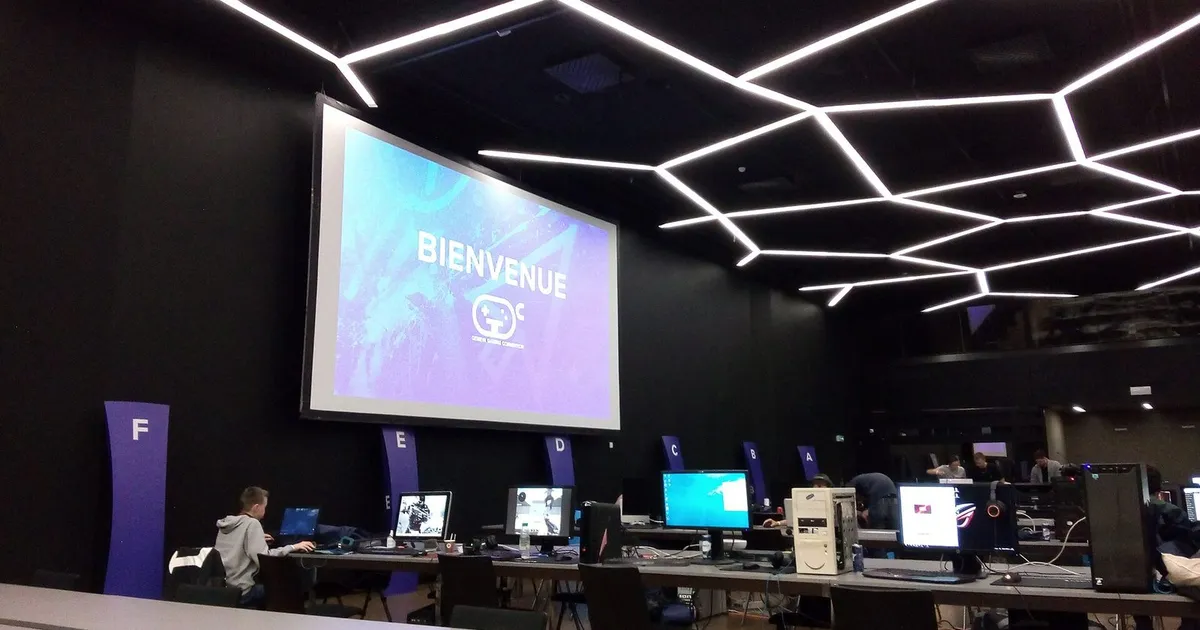
Photo by GastelEtzwane / Wikimedia Commons / CC BY-SA 4.0
Affiliate links.As an Amazon Associate I earn from qualifying purchases. Links below go to Amazon; prices and availability change, so check Amazon for current pricing.Affiliate disclosure
You don’t need the most expensive gear to play competitive shooters well. Spending wisely on a few key items gives most of the benefit. This guide explains where to spend and where to save, comparing by design and listed features rather than lab testing. We don’t list prices; links go to Amazon’s current listings.
Quick answer
| Item | Spend or save? | Example |
|---|---|---|
| Monitor | Spend: high refresh | AOC 24G2SP (165Hz IPS) |
| Mouse | Spend a little: shape and weight | Logitech G305 LIGHTSPEED |
| Mouse pad | Save, but go big | SteelSeries QcK Heavy XXL |
| Keyboard | Save | A compact mechanical board |
| Headset | Save, wired | A comfortable wired headset |
| PC | CPU matters | Enough FPS for your monitor |
Monitor: the biggest upgrade
A high-refresh monitor makes the biggest difference in fast games. A 24-inch 1080p monitor at 144–180Hz is affordable and easy to run. See 24-inch esports monitors.
Mouse: shape first
Pick a mouse that fits your hand and grip. A light wireless mouse like the G305 is a proven budget choice. See budget gaming mice.
Mouse pad: go big
A large pad gives room for low sensitivity. Choose control or speed for your games. See control vs speed mouse pads.
Keyboard: compact and simple
A tenkeyless or 75% mechanical board gives more mouse room. Rapid trigger keyboards help in some shooters but aren’t essential. See rapid trigger keyboards.
Headset: comfort and clear footsteps
A wired stereo headset is enough for positional audio. See budget wired gaming headsets.
PC: frame rates
Competitive games are often CPU-limited at high frame rates. A good CPU matters more than a top GPU here. See fixing a CPU bottleneck.
Free improvements
- Lower graphics settings for higher FPS and visibility.
- Enable your monitor’s full refresh rate.
- Turn on low-latency modes (NVIDIA Reflex, AMD Anti-Lag).
- Set a consistent sensitivity and practice.
FAQ
What should I buy first for competitive FPS? A high-refresh monitor, then a mouse that fits your hand.
Do I need a 240Hz monitor? It helps if your PC reaches 240 FPS. 144–180Hz is a great start.
Bottom line
Spend on a high-refresh monitor and the right mouse, go big on the mouse pad, and save on the rest. More in what to buy first for a gaming setup.
Our picks: Gaming desks & Gaming chairs
Shop on Amazon
Affiliate links.As an Amazon Associate I earn from qualifying purchases. Links below go to Amazon; prices and availability change, so check Amazon for current pricing.Affiliate disclosure

Illustrative photos: Photo by Ssamm T / Wikimedia Commons / CC BY-SA 4.0; Photo by Marchuk17 / Wikimedia Commons / CC BY-SA 4.0; Photo by Luke Chesser / Wikimedia Commons / CC0; Photo by Ndurliat / Wikimedia Commons / CC BY-SA 4.0