PC Gaming on a Budget: Smart Buys and Where to Save
How to get into PC gaming without overspending, from previous-gen parts and AM4 builds to free games and budget peripherals.
Main page for gaming pcs: Gaming PCs →
How to get into PC gaming without overspending, from previous-gen parts and AM4 builds to free games and budget peripherals.

Photo by Gaming PC Bundle / Wikimedia Commons / CC BY-SA 4.0
Affiliate links.As an Amazon Associate I earn from qualifying purchases. Links below go to Amazon; prices and availability change, so check Amazon for current pricing.Affiliate disclosure
PC gaming doesn’t have to be expensive. Spending wisely on the parts that matter most, and saving on the rest, gets you a capable gaming PC and setup for much less. This guide explains where to spend and save, based on listed specs and general practice rather than lab testing. We don’t list prices; links go to Amazon’s current listings.
Quick answer
| Part | Spend or save | Example |
|---|---|---|
| Graphics card | Spend the most here | AMD Radeon RX 7600 or a 16GB card if budget allows |
| CPU | Mid-range is enough | AMD Ryzen 5 5600 (AM4) |
| RAM | 32GB if possible, 16GB minimum | Dual channel |
| Storage | 1TB NVMe | A value NVMe drive |
| Power supply | Don’t cut corners | Reputable 550–650W |
| Mouse | Save | Logitech G203 LIGHTSYNC |
Spend on the GPU
The graphics card has the biggest effect on frame rates. Put the largest share of your budget here. Consider VRAM for future games. See graphics cards for 1080p.
Save on the CPU
A six-core CPU handles most games well. AM4 platforms with a Ryzen 5 5600 are inexpensive; AM5 gives a better upgrade path. See upgrading from AM4 to AM5.
Don’t skimp on the power supply
A cheap, unbranded PSU can fail and damage parts. See budget power supplies.
Consider used and previous-gen
- Previous-generation parts are often heavily discounted. See previous-gen CPU clearance.
- Used GPUs can be good value with care. See buying a used graphics card.
Prebuilts on sale
Around Black Friday, prebuilts can cost close to their parts. See prebuilt deal spec check.
Peripherals: start simple
A budget mouse, a wired headset and a 1080p high-refresh monitor go a long way. See budget competitive FPS setup.
Free performance
- Upscaling (FSR, DLSS, XeSS). See upscaling explained.
- Smart graphics settings. See in-game graphics settings explained.
- Free games and sales on Steam and other stores.
FAQ
What’s the most important part for gaming? The graphics card.
Is 16GB of RAM enough on a budget? It works, but 32GB gives more headroom for newer games.
Bottom line
Spend on the GPU, buy a reputable PSU, save on the CPU and peripherals, and watch for previous-gen and Black Friday deals. More in example gaming PC parts lists.
Our picks: Graphics cards & Processors
Shop on Amazon
Affiliate links.As an Amazon Associate I earn from qualifying purchases. Links below go to Amazon; prices and availability change, so check Amazon for current pricing.Affiliate disclosure
NVIDIA GeForce RTX 5070 Ti
16GB card that handles high-refresh 1440p and entry 4K.
Check price on Amazon

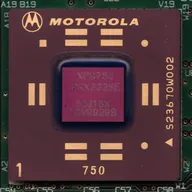

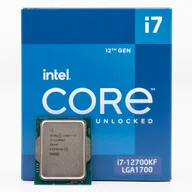
Illustrative photos: Photo by Timothy Borkowski / Wikimedia Commons / CC BY-SA 3.0; Photo by Myself User:ZyMOS / Wikimedia Commons / CC BY-SA 4.0; Photo by Advanced Micro Devices, Inc. (AMD) / Wikimedia Commons / Attribution; Photo by Jacek Halicki / Wikimedia Commons / CC BY-SA 4.0; Photo by Ondřej Martin Mach / Wikimedia Commons / CC BY-SA 3.0